How Restored Browser Tabs Can Break Live Charts
A production-browser testing pattern for live charts that look loaded but have stale websockets, too few visible candles or a canvas that no longer changes.
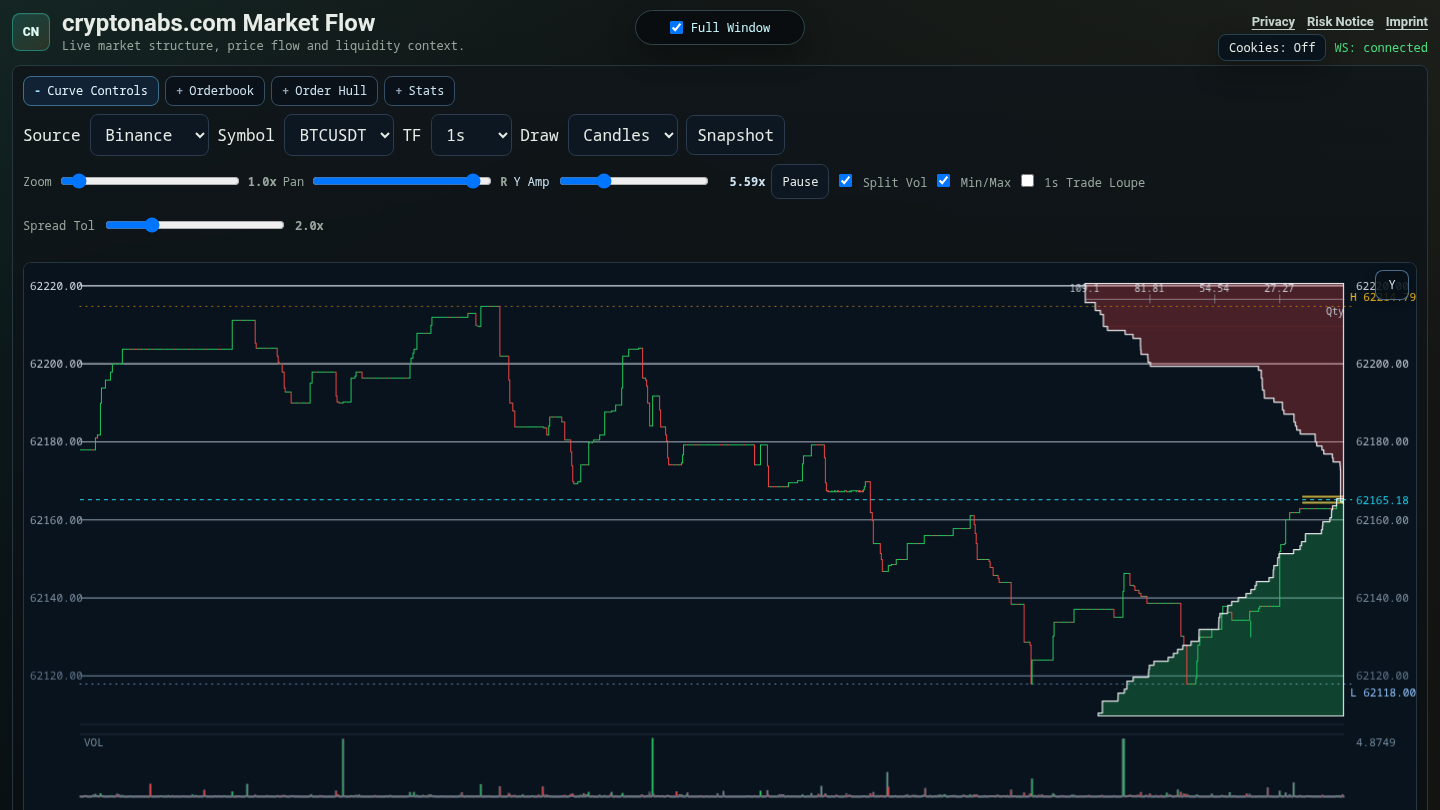
Live charts do not only fail when the server is down. They can also fail when the browser resumes a page that looks alive but has lost part of its runtime state.
One failure mode we saw with a public crypto market-data chart was simple from the user's point of view: open the page from a restored browser tab, and the page can appear mostly loaded while the live curve is thin, stale or no longer progressing. A manual reload fixes it, but requiring a reload is still a product bug. A restored tab should recover by itself.
The difficult part is that "page loaded" is too weak as a health check. The DOM can be present while the chart is not meaningfully alive. A websocket can be closed while the page still shows old values. A canvas can contain pixels from an earlier frame while no new market data is being drawn.
Make Resume A First-Class Path
The browser-side resume path listens to pageshow, visibilitychange and focus. On resume it refreshes layout, redraws the chart, restarts live timers and reconnects the websocket if it is closed. It then decides whether a fresh snapshot is needed.
The snapshot decision is intentionally concrete. It reloads when the chart is too thin, when only one or zero candles are rendered or visible, when the websocket is closed, when the tab was hidden for a longer period, or when the browser reports a persisted pageshow event. Brief foreground or focus transitions are throttled so the page does not spam snapshot reloads.
Test The Chart, Not Just The Route
The production smoke test mirrors that model. It opens the real public page in Chromium through the DevTools protocol and waits until the page is healthy. Healthy means more than HTTP 200:
- the expected public page title is present
- the expected public selection is loaded
- full-window mode is active
- enough candles are rendered and visible
- last price and current candle values are numeric
- the chart canvas contains enough non-background pixels
- the loading overlay is gone
- the websocket is connected
- live progress advances by event count or canvas hash
The test then simulates a restored tab by dispatching a persisted pageshow event and waits for the page to become healthy again. This catches the class of bug where the initial load passes but tab restoration leaves the chart stale.
This is deliberately a browser test, not only an API test. API checks can prove that market data is available. They cannot prove that the user's chart is drawing, that the canvas is nonblank, or that a restored tab reconnects its websocket.
What To Expose For Testing
What worked for us was to make recovery observable:
- store rendered and visible counts in DOM-accessible chart metadata
- expose live counters and connection state in the page
- sample the canvas rather than trusting that a canvas element exists
- simulate browser lifecycle events in the production smoke test
- fail the test if the page only looks loaded but does not progress
The lesson is not specific to crypto. Any live dashboard can have this failure mode: metrics boards, trading-independent market-data viewers, observability tools, logistics maps, sports tickers, collaborative editors and operations screens. If a page stays open for hours or days, the lifecycle state matters as much as the first load. The effect is especially deceptive in a live Bitcoin order book and market-depth chart, because old values can still look plausible.
Implementation Notes
app/v/internal/inspectorPage.js: page resume handling, websocket reconnect, resume snapshot decision and lifecycle listeners.app/tools/productionSiteSmoke.js: Chromium DevTools smoke check, canvas sampling, health checks, live progress check and simulated persistedpageshow.ops/systemd/cryptonabs-production-site-smoke.timer: periodic production-site smoke coverage.
Legal And Disclosure Notes
cryptonabs.com is a read-only public market-data visualization. It is informational only and does not provide financial advice, individualized guidance, custody or trade execution. Market data can be delayed, incomplete or stale. See the risk notice.
This article was prepared with AI assistance and reviewed against the production code paths referenced above before publication.